
THIN / THICK GUIDE · UPDATED
iPod Classic Thin or Thick: sizes and models
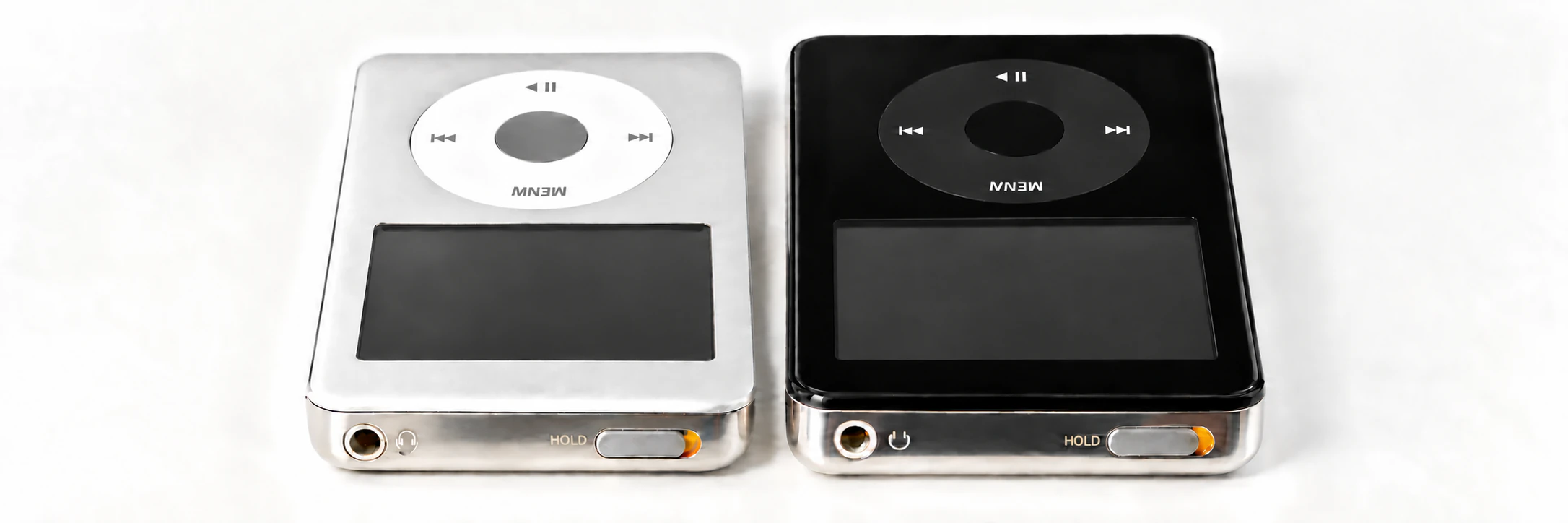
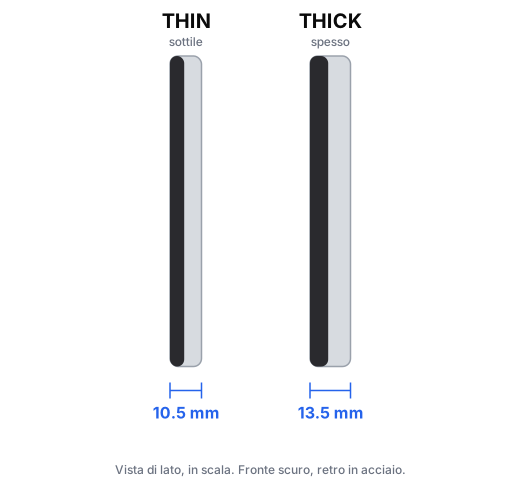
iPod Classic and iPod Video were made with two back-shell depths: Thin (about 10.5 mm) and Thick (about 13.5 mm). Variants in the same family are hard to tell apart from the front; capacity, year and side profile are the reliable clues.
Three ways to check
-
1
Read the capacity engraved on the back
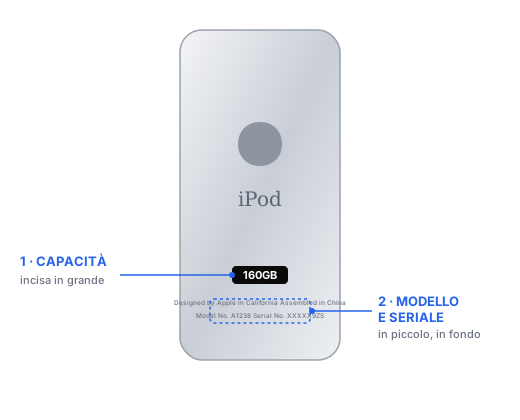
The fastest way. Find the big number near the bottom of the back (e.g. 160GB) and look it up in the table below.
-
2
Check model and year
Below the capacity is the model number: A1136 on common Video versions and A1238 on Classic. A1238 alone cannot separate the two 160 GB models: match serial and date with Apple’s “Identify your iPod model” page, or measure the depth.
-
3
Measure the thickness
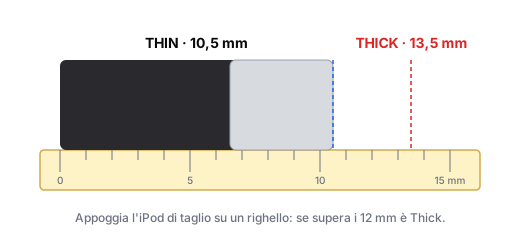
With a ruler, stand the iPod on its side. About 10–11 mm = Thin, about 13–14 mm = Thick.
Quick table by capacity
| Model | Capacity | Year | Thickness |
|---|---|---|---|
| iPod Video 5th gen | 30 GB | 2005–2006 | THIN · 10.5 mm |
| iPod Video 5th / 5.5th gen | 60 GB · 80 GB | 2005–2006 | THICK · 13.5 mm |
| iPod Classic 6th gen | 80 GB | 2007 | THIN · 10.5 mm |
| iPod Classic 6th gen | 160 GB | 2007 | THICK · 13.5 mm |
| iPod Classic 6th gen (2008) | 120 GB | 2008 | THIN · 10.5 mm |
| iPod Classic 7th gen | 160 GB | 2009 | THIN · 10.5 mm |
Why it matters
- Battery: the Thick offers more room. Aftermarket batteries advertised as 2000/3000 mAh still require a size, flash-adapter and internal-layout check; the mAh label alone does not guarantee fit.
- Back shell: Thin and Thick shells are not interchangeable. The configurator asks for it at the “Thickness” step.
- Cases: iPod Classic cases also come in the two sizes.
Not sure?
Send us a photo of the back and we'll tell you. Or start a repair or build your iPod: the Thin/Thick choice is guided.